
Artificial Intelligence (AI) is becoming more powerful every day.
Google has launched its advanced AI chatbot called Gemini AI. With this tool, users can ask questions, write articles, create poetry, solve study problems, analyze images, and much more.
How to Open Google Gemini AI
Follow these simple steps:
Open Google on your mobile or computer.
Search for “Gemini AI”.
Open the official Gemini website.
Sign in with your Google account.
Start using Gemini AI for free.
Main Uses of Gemini AI
Write Articles and Content
Gemini AI can help you:
Write blog posts
Create YouTube scripts
Generate poetry
Find business name ideas
Create social media captions
Example Prompt: “Suggest me 20 names for my new fruit shop.”
Best AI Tool for Students
Students can use Gemini AI for:
Solving math problems
Homework help
Assignment writing
Science questions
Essay writing
Learning new topics
It provides quick and detailed answers within seconds.
Questions with Voice
You can also use voice search:
Speak in English
Speak in Urdu
Speak in Hindi
Gemini AI understands multiple languages and responds quickly
Upload Images and Get Information
Users can:
Upload photos from gallery
Capture images with camera
Ask questions about images
Example:“What is this object?”“How can I make this DIY bus?”
Gemini AI can analyze images and provide detailed explanations
Features of Gemini AI
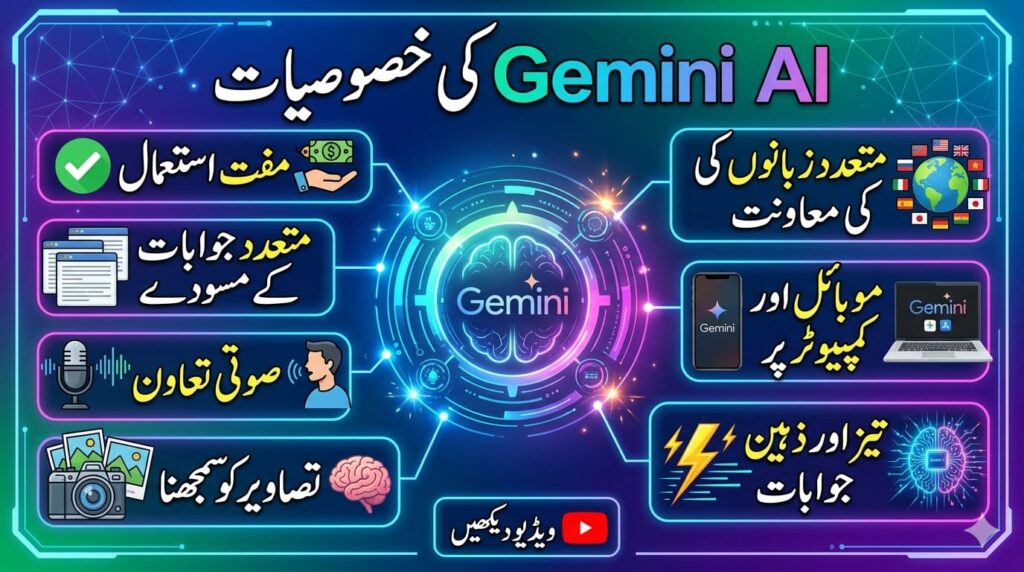
Free to use Multiple answer drafts Voice support Image understanding Supports many languagesWorks on mobile and computer Fast and smart responses
Dark and Light Theme
Gemini AI provides:
Dark Mode
Light Mode
Users can choose any theme according to their preference.
Earn Money Online with AI
You can use Gemini AI for:
Freelancing
Blogging
YouTube automation
Content creation
Social media marketing
Online business ideas
AI tools can help you grow your online income faster.